Charge limit
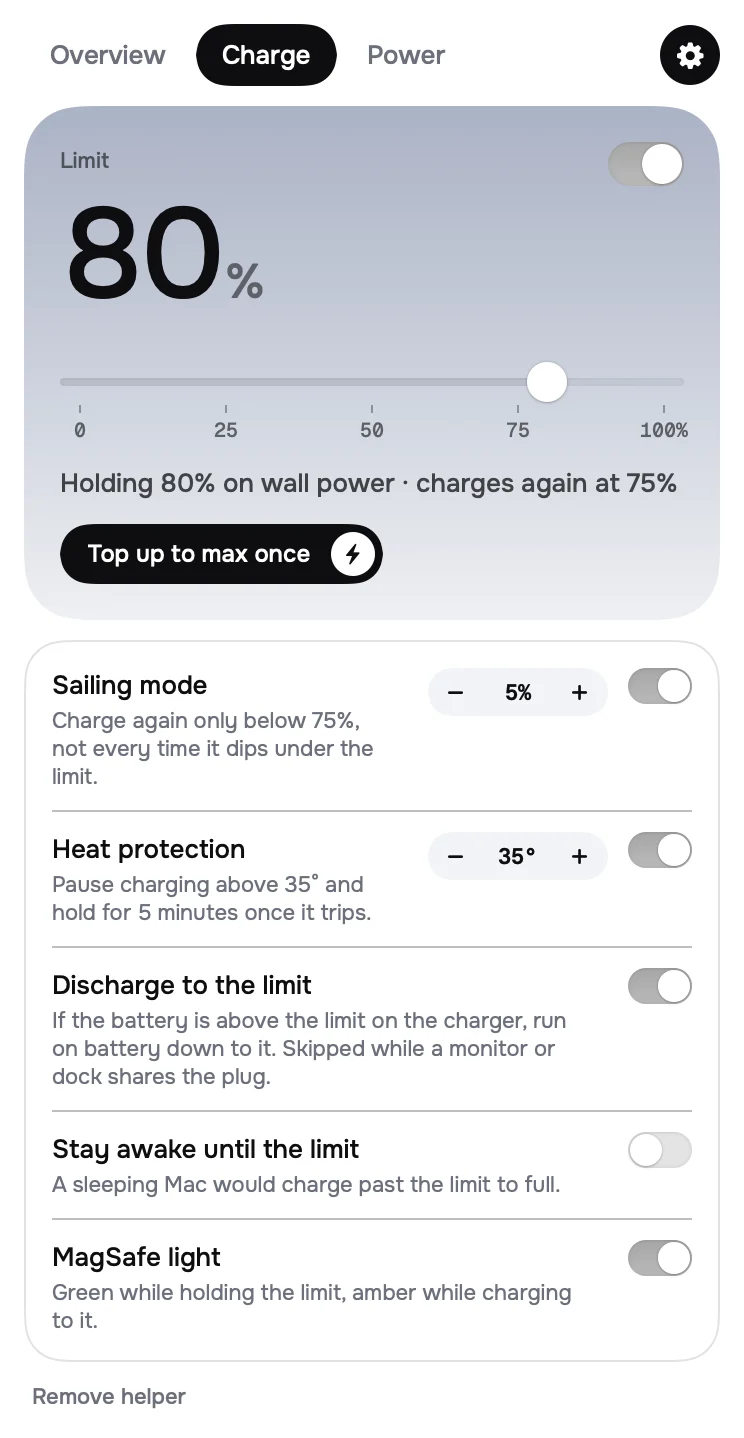
Stop at any level from 15% to full. Sailing mode waits for a real drop before charging again, heat protection pauses above 35°, and one tap tops up to full for a trip. Charge tab
Etherlynx / Apps / Lynx Battery
A menu bar app that stops your MacBook charging past the limit you set, and shows where every watt goes. Keeping it at 80% instead of 100% slows battery wear, and you never have to remember to unplug.
Plugged in all day.
Sitting at 80%.
Stop at any level from 15% to full. Sailing mode waits for a real drop before charging again, heat protection pauses above 35°, and one tap tops up to full for a trip. Charge tab
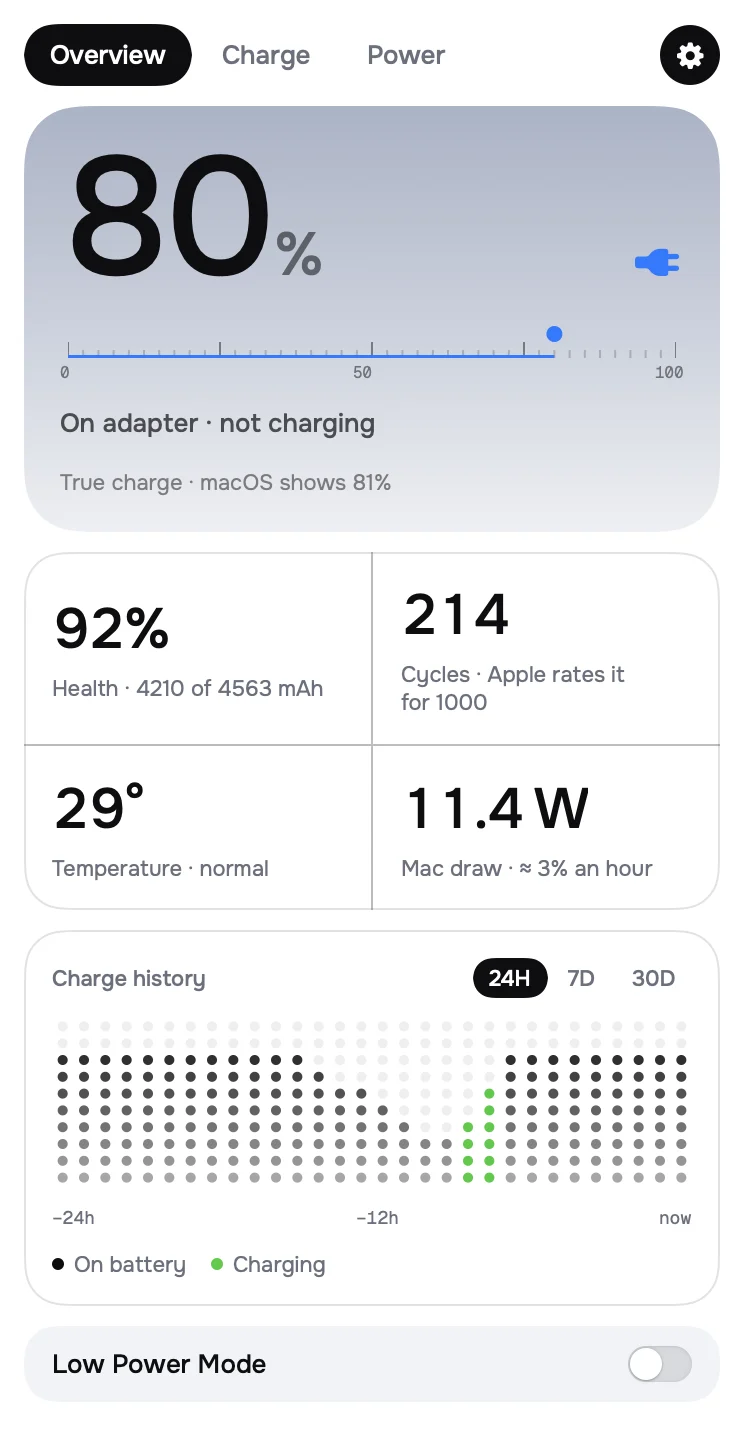
Charge as the battery really holds it, health in mAh, cycles against what Apple rates the battery for, temperature, and history for 24 hours, 7 or 30 days. Overview tab
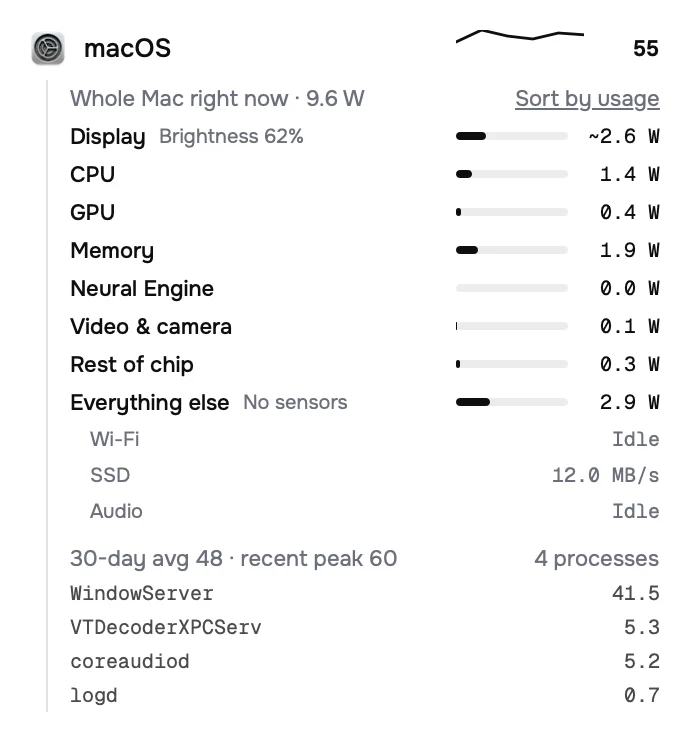
Power flow from the adapter to the battery and the Mac, energy by app, and the whole Mac split into display, CPU, GPU, memory and the rest of the chip. Power tab
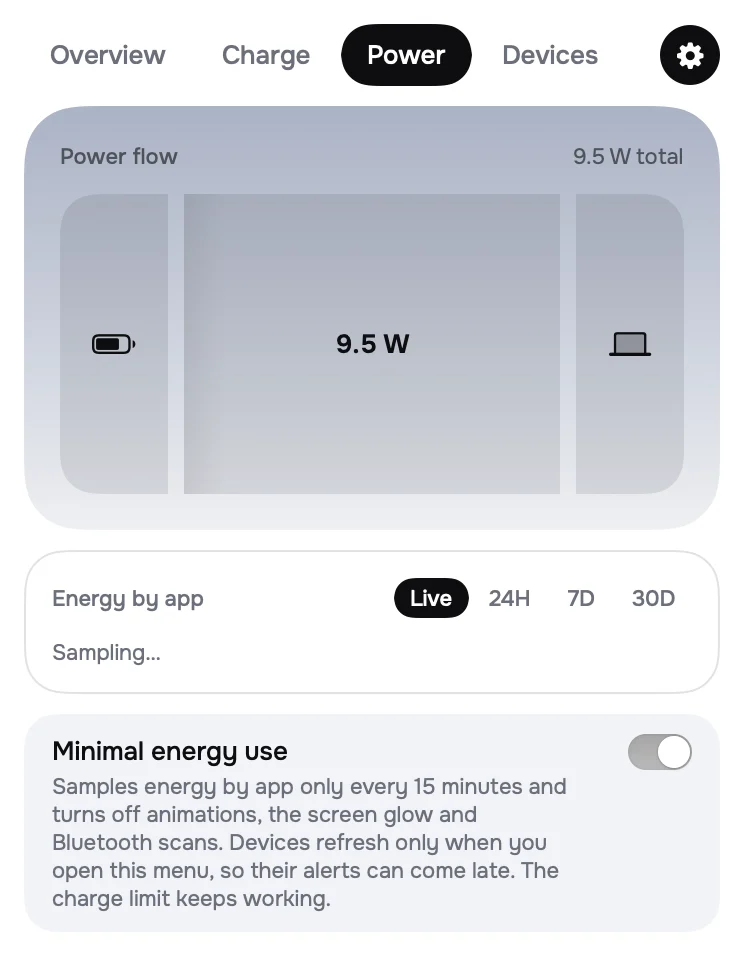
A battery app shouldn't drain the battery. Choose how often it measures, or switch on Minimal energy use: the charge limit and alerts keep working. Power tab
Why stop at 80%
A MacBook on a desk sits full and warm most of the day. Lynx Battery holds it lower, then gets out of the way.
The things you would otherwise check in four places, in one menu that stays out of the way.
AirPods left, right and case, Magic Mouse, Keyboard and Trackpad, a nearby iPhone or iPad. Set a low alert per device, or turn tracking off and nothing touches Bluetooth.
Low, charged, charger and temperature alerts as a pill at the top of the screen. When the battery is nearly empty, a full-screen alert you can't miss.
Every release is signed with a hardware key. The app checks the signature and the checksum itself before it replaces anything, and Homebrew installs stay Homebrew's.
On an iMac, Mac mini or Mac Studio the menu bar shows the Mac's live power draw instead, with energy by app and your devices underneath.
Privacy
GET api.github.com/repos/Mansfera/lynx-battery/releases/latest
The update check. No cookies, nothing about you or your Mac. Turn it off and the app makes no requests at all. Everything else is read on the Mac and stays there.